What we are building
AI that amplifies what teachers do best.
Teaching Labs helps one teacher reach every student, at every level, all at once.

Teaching Labs · Private Investor Room
Welcome to Teaching Labs. We've spent the last year researching, validating, and building toward something we believe will change how AI is used in education. One teacher, thirty students, five reading levels, zero help. That's the problem, and we're building the solution. We're early, but we're not starting from zero. We have traction, we have a clear trajectory, and we're passionate about getting this right. This page has everything in one place. Explore the vision, read the pitch, see the product. If it resonates, let's talk.

What we are building
Teaching Labs helps one teacher reach every student, at every level, all at once.
For the teacher
For the student
Investor decks
An overview of the Teaching Labs vision, platform architecture, market opportunity, and teacher-centered AI philosophy. This deck introduces how Teaching Labs helps educators scale personalized instruction while preserving the human side of learning. Includes product concepts, instructional infrastructure strategy, adoption model, and long-term platform vision.
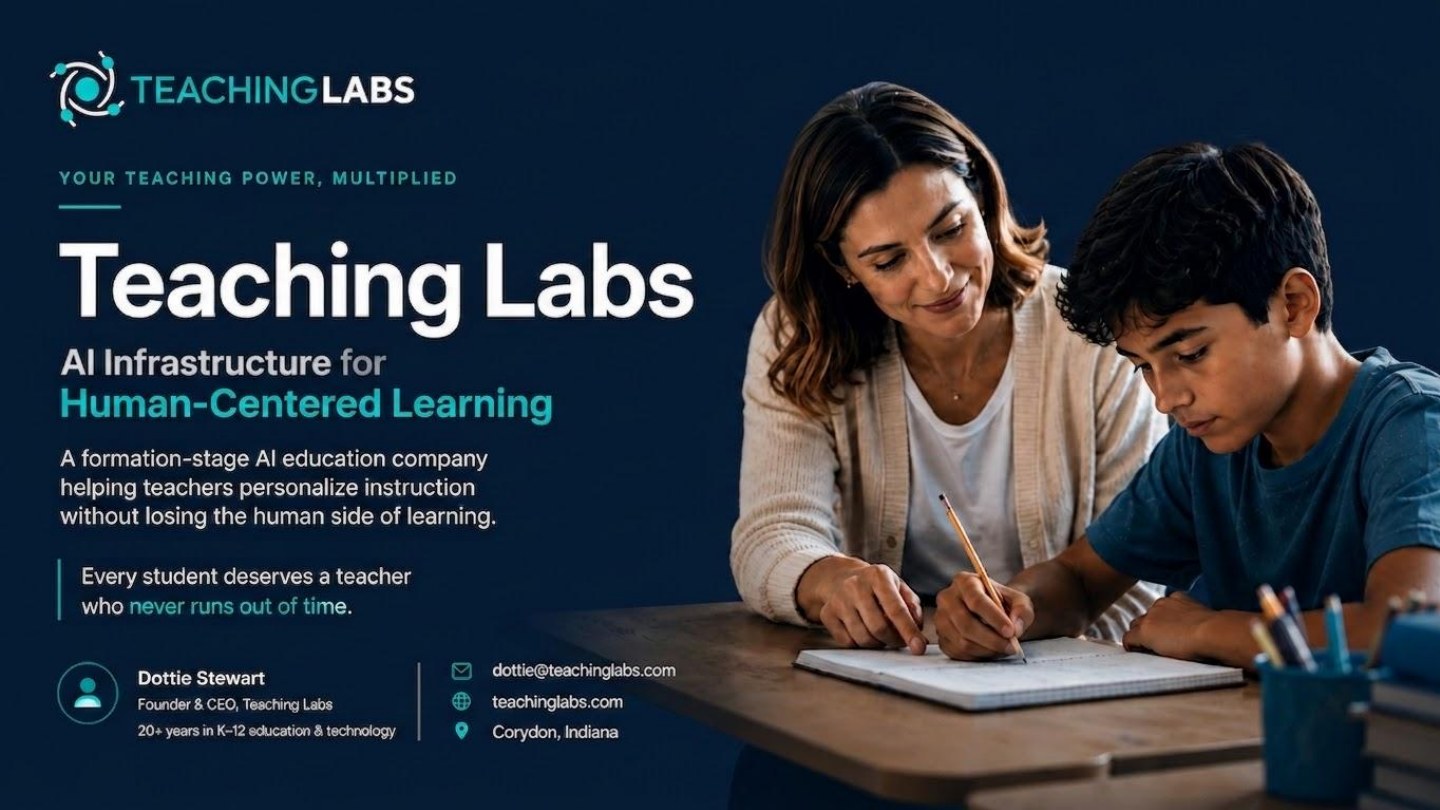 Dark Theme
Dark Theme
 Light Theme
Light Theme
Live links
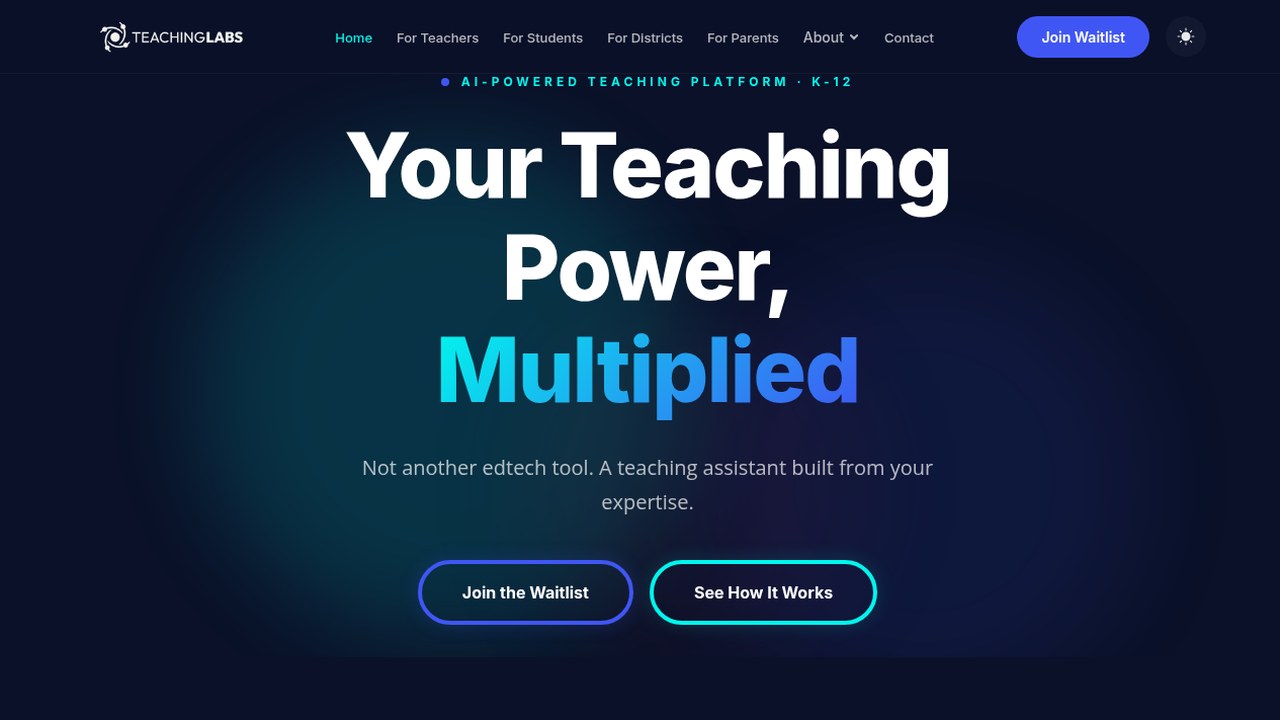 Public site
Public site
A public introduction to Teaching Labs’ mission, platform, and vision for helping great teachers reach more students through human-centered AI.
The Teaching Labs website introduces educators, partners, and investors to the company’s vision for scaling great teaching without losing the human relationships that make learning work. It highlights the Teacher Twin platform, the company’s educational philosophy, and the broader mission to make personalized, high-quality instruction more accessible through AI.
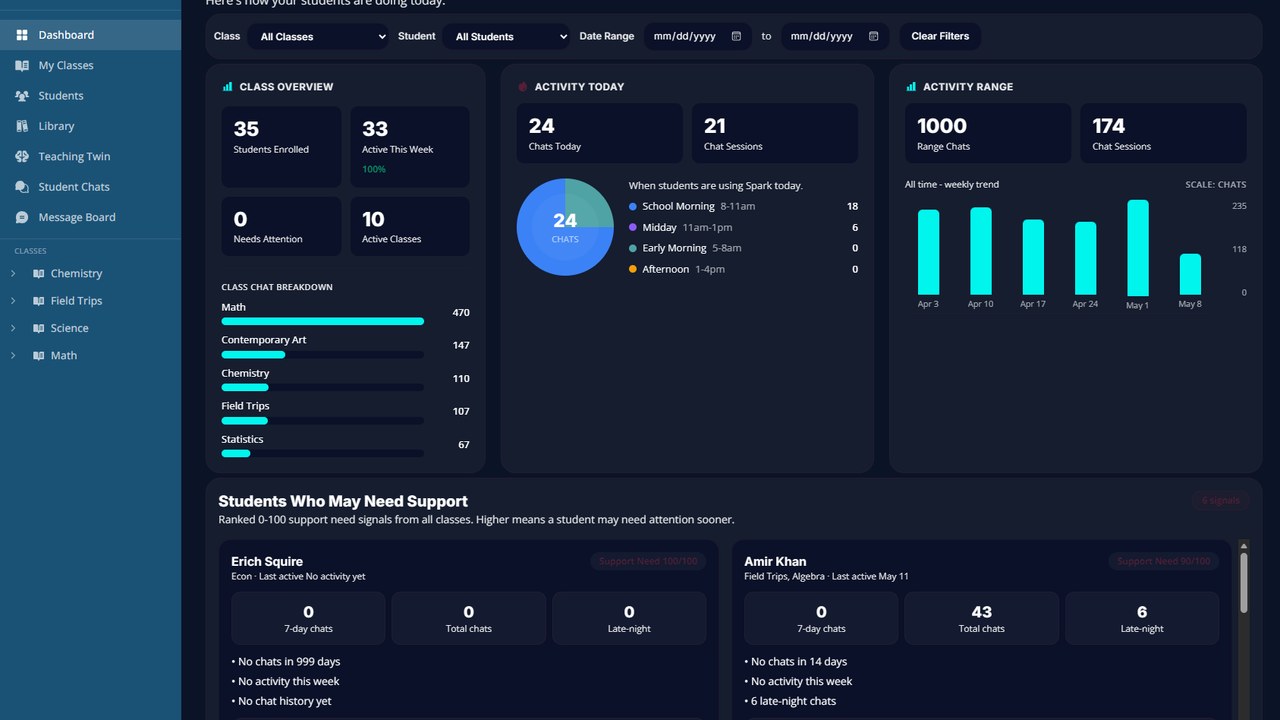 Live app
Live app
The Teaching Labs platform is the operational foundation of the company's Teacher Twin vision. Built around real classroom workflows, the platform captures teacher preferences, instructional approaches, communication styles, and classroom context to create personalized learning experiences that extend a teacher's reach while keeping educators at the center of instruction. The application includes teacher visibility tools, student engagement workflows, and adaptive AI support designed specifically for K–12 education.
Product videos
Product video
Product video showing the teacher onboarding/profile flow that captures teaching style, preferences, and classroom context so Teaching Labs can personalize support around the educator. The process transforms educator expertise into a structured instructional profile that AI can understand and apply.
Product video
Product video showing the student onboarding experience, where learners begin sharing how they learn, what support they need, and how the platform can guide them in age-appropriate ways.
Product video
This demonstration showcases personalized learning at scale. Teaching Labs transforms a single instructional objective into customized project experiences for different students, making learning more relevant, engaging, and meaningful without requiring teachers to manually create multiple lessons.
Product video
See how Teaching Labs helps educators create personalized, standards-aligned student projects with the support of an AI teaching assistant. Teachers can scaffold projects, personalize activities, align work to standards, and generate instructional resources from a single workspace.
Promo video
A vision video showing how Teaching Labs helps teachers extend their impact so every student gets the support, encouragement, and guidance they deserve. It is not about replacing teachers — it is about multiplying their impact.
Product screenshots
Student support, teacher control, classroom visibility, and personalized learning.
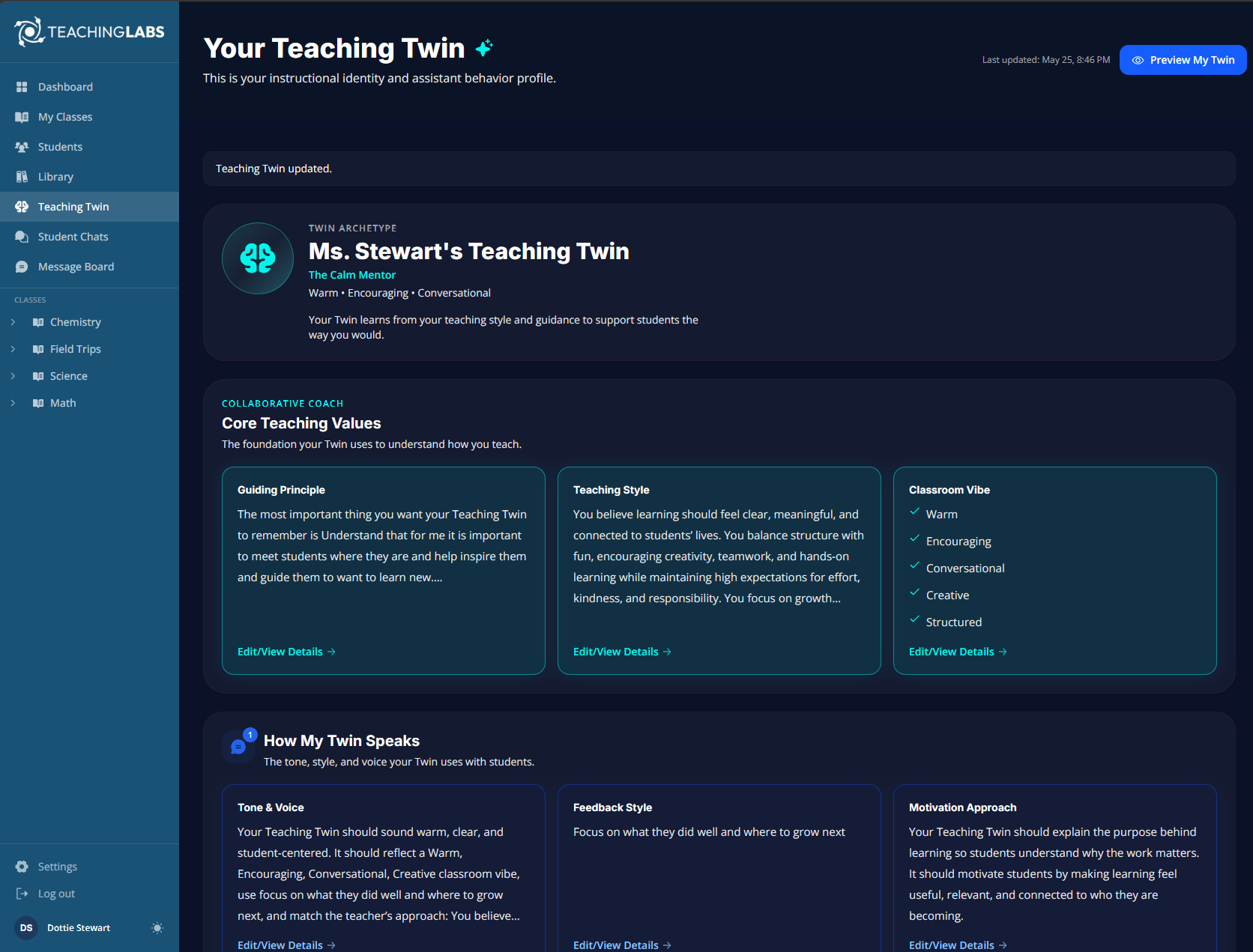 Teacher identity
Teacher identity
Your Twin, your rules. Teachers define their archetype, instructional values, communication style, and classroom commitments so AI support reflects the way they actually teach.
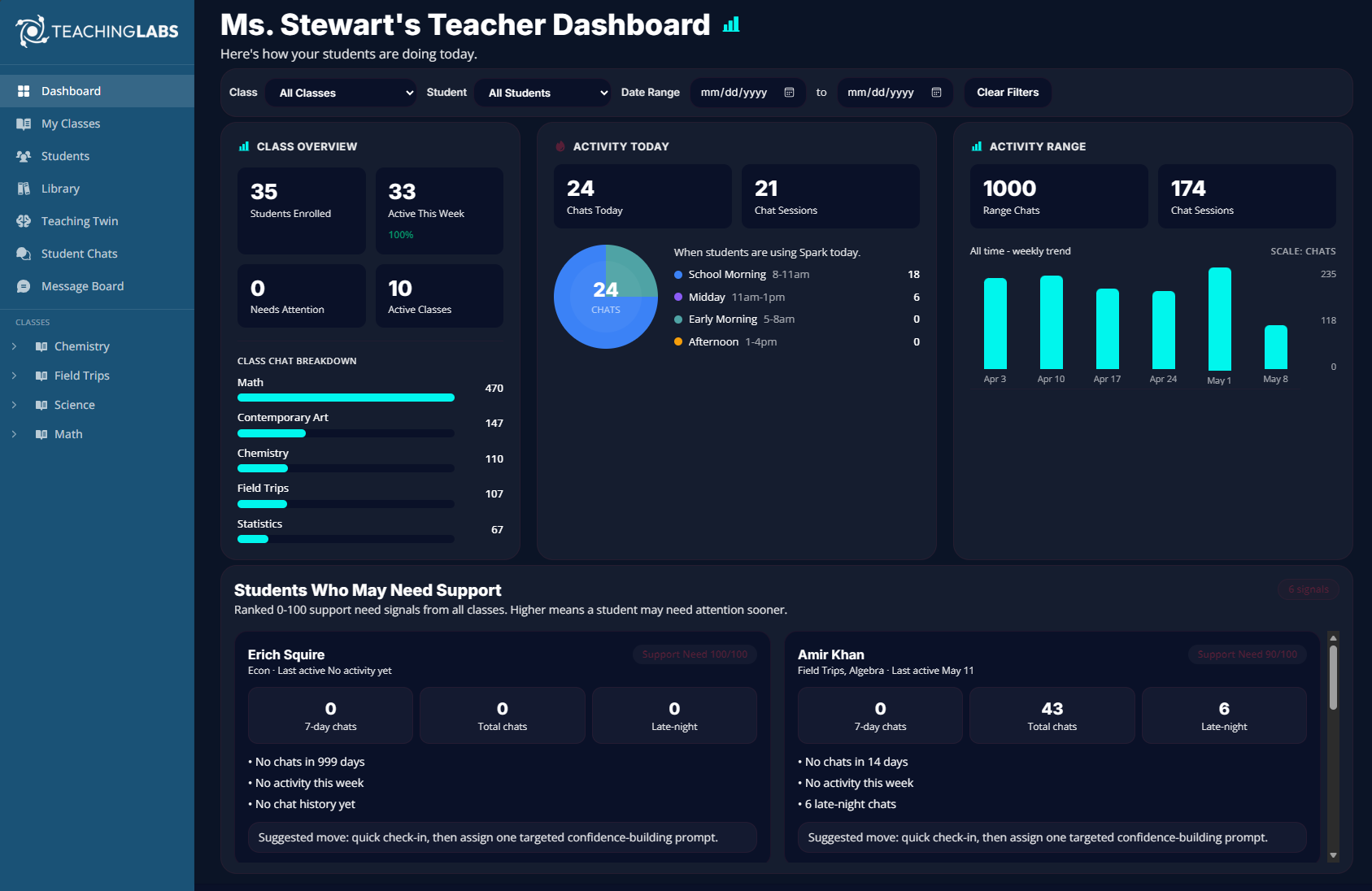 Teacher dashboard
Teacher dashboard
The Teaching Labs Teacher Dashboard gives educators a clear, actionable view of classroom learning activity in real time, helping them track engagement, monitor AI tutoring interactions, identify participation trends, and proactively support students.
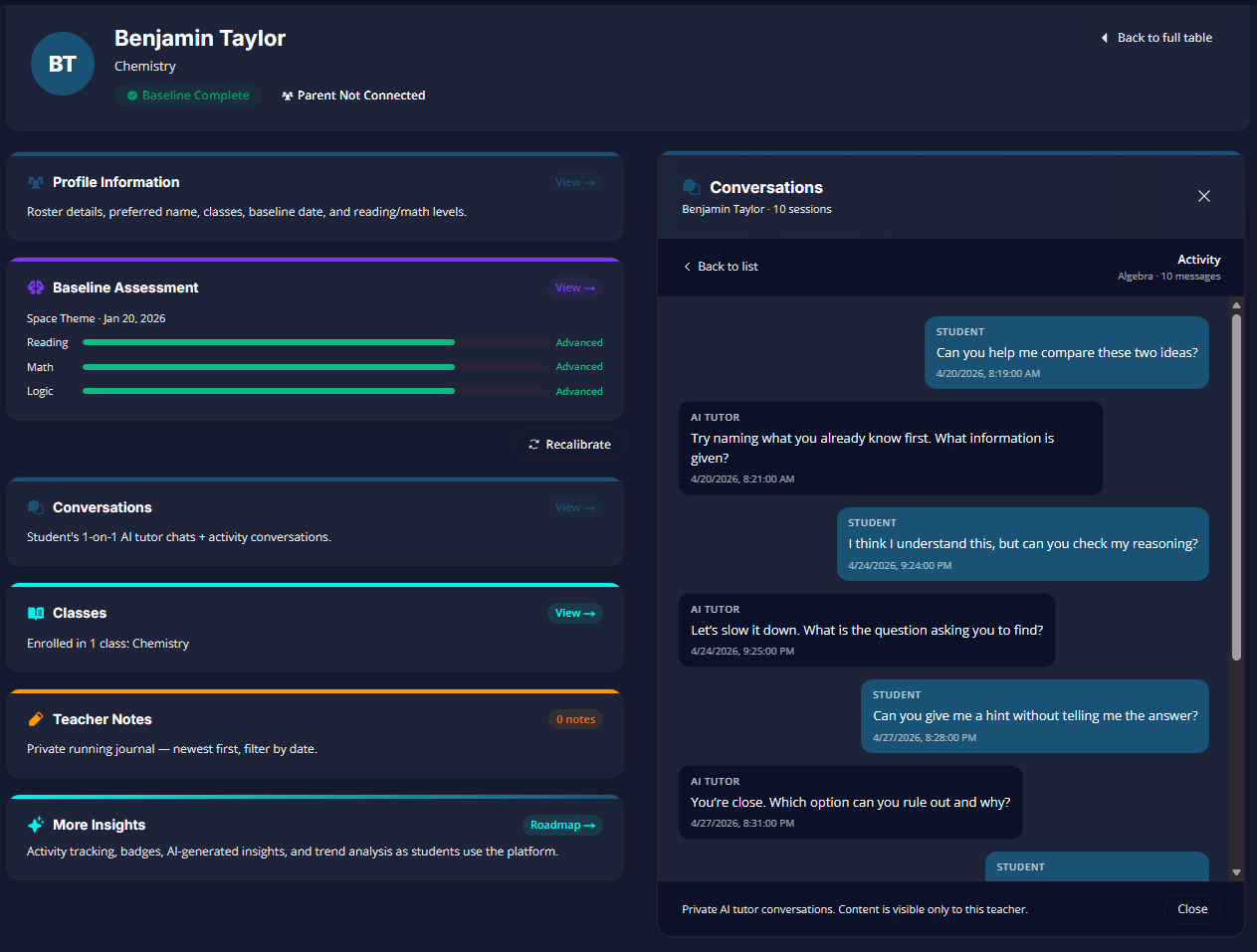 Student overview
Student overview
The Student Overview gives teachers instant access to student progress, learning conversations, assessments, and engagement insights in one place. Every conversation becomes an opportunity to better understand how students think, learn, and grow.
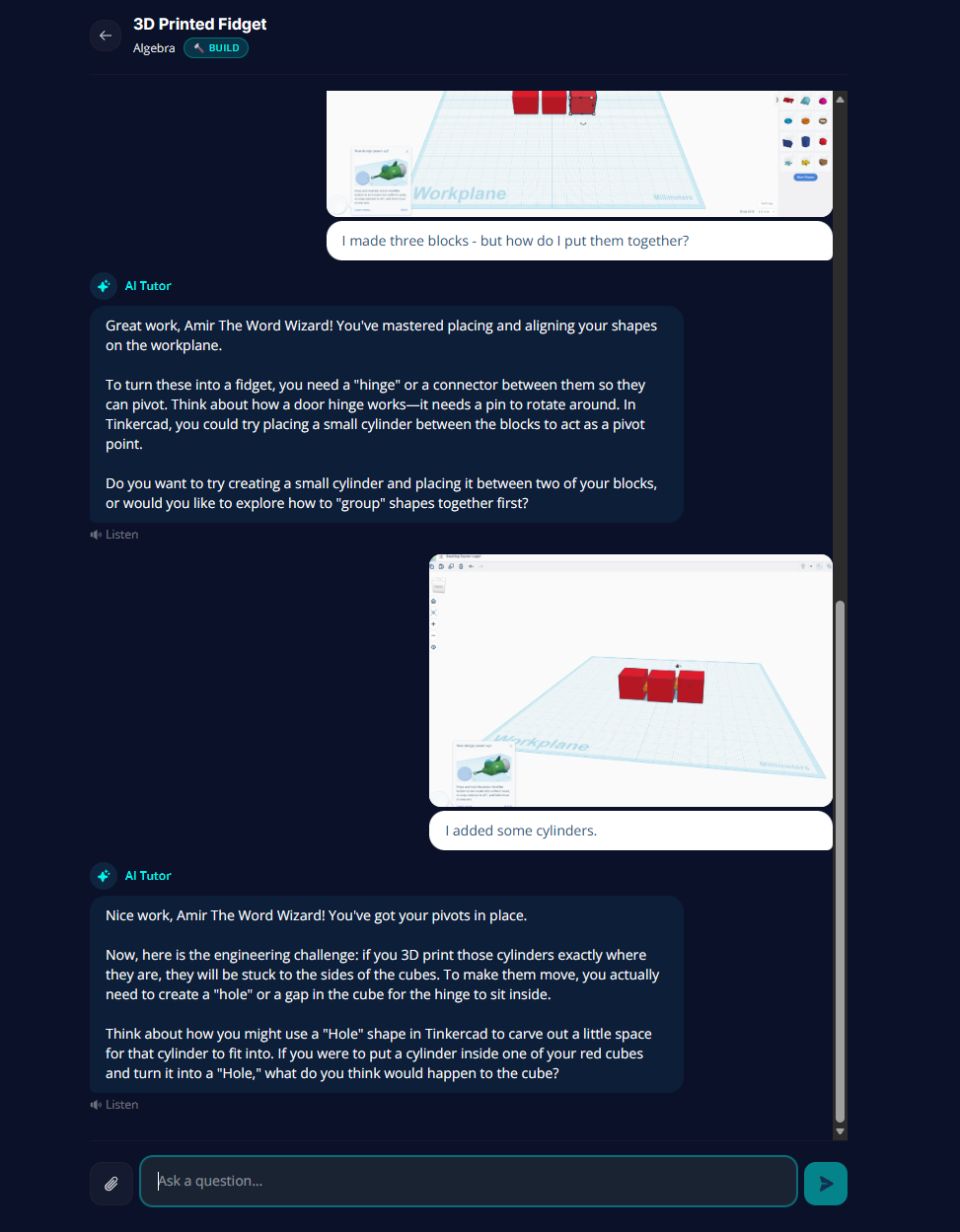 Student support proof
Student support proof
Teaching Labs' AI Tutor supports a student through a 3D design project by asking questions, offering hints, and guiding the student through the engineering design process instead of simply providing answers.
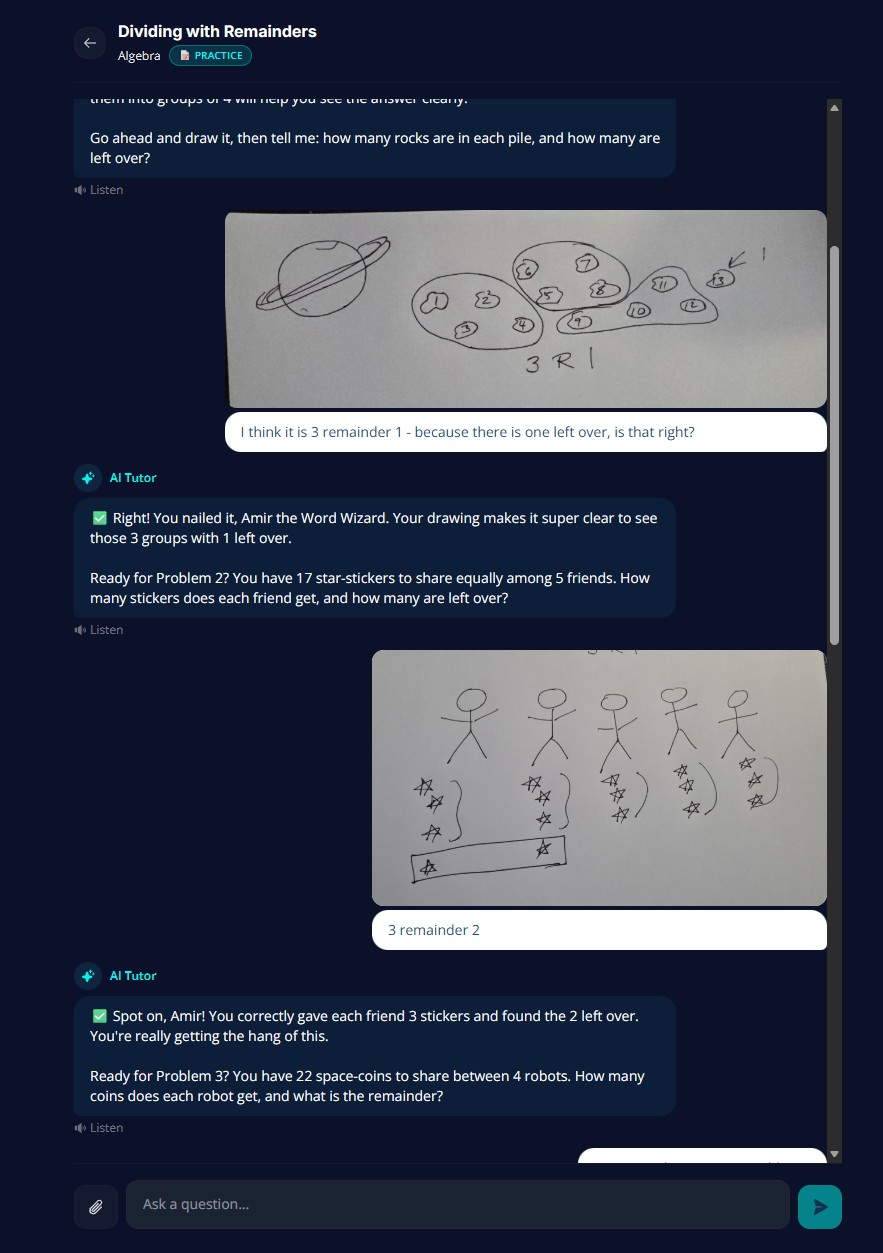 Math + visual reasoning
Math + visual reasoning
Students solve division problems by drawing, grouping, and explaining their reasoning, with support from an AI Tutor every step of the way. The focus is showing thinking, not just submitting an answer.
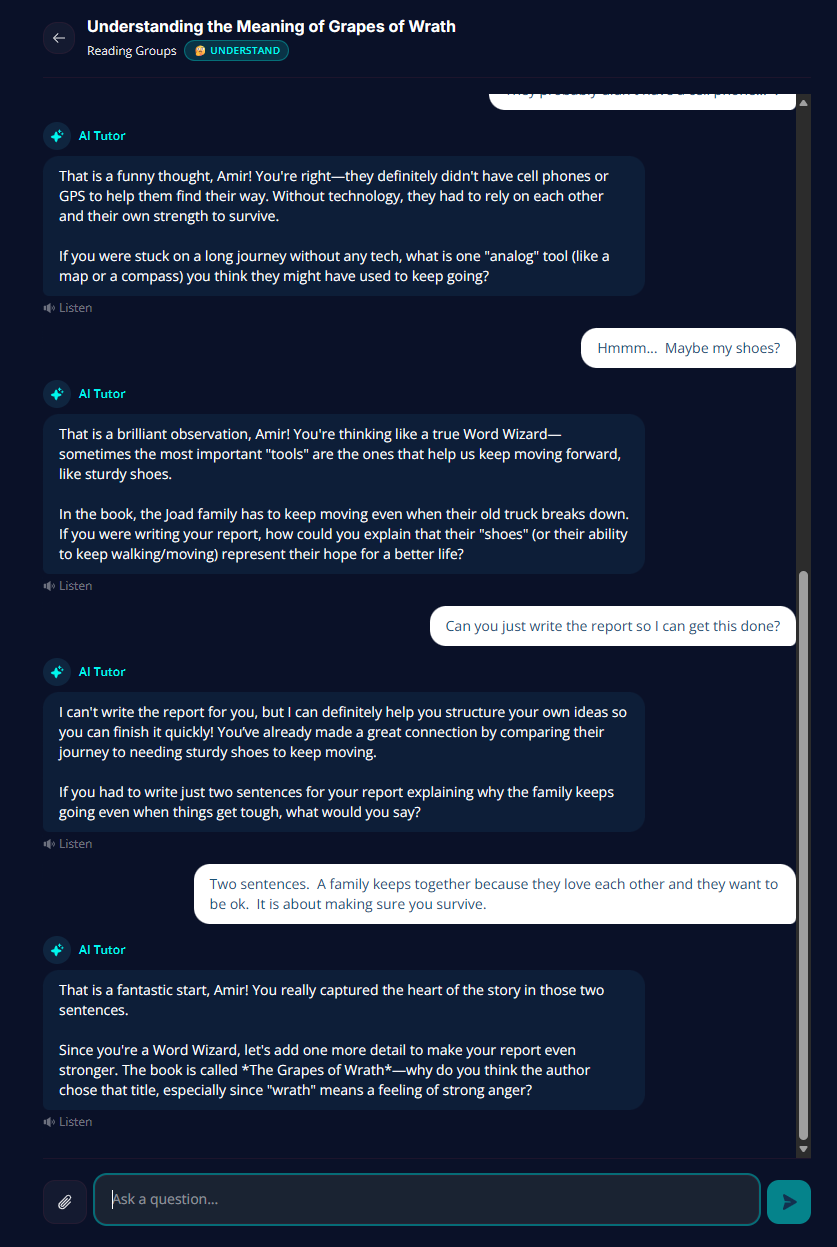 Reading + integrity
Reading + integrity
Teaching Labs supports reading comprehension and critical thinking without doing the work for students. In a discussion of The Grapes of Wrath, the AI Tutor redirects the learner toward developing their own ideas and constructing their own response.
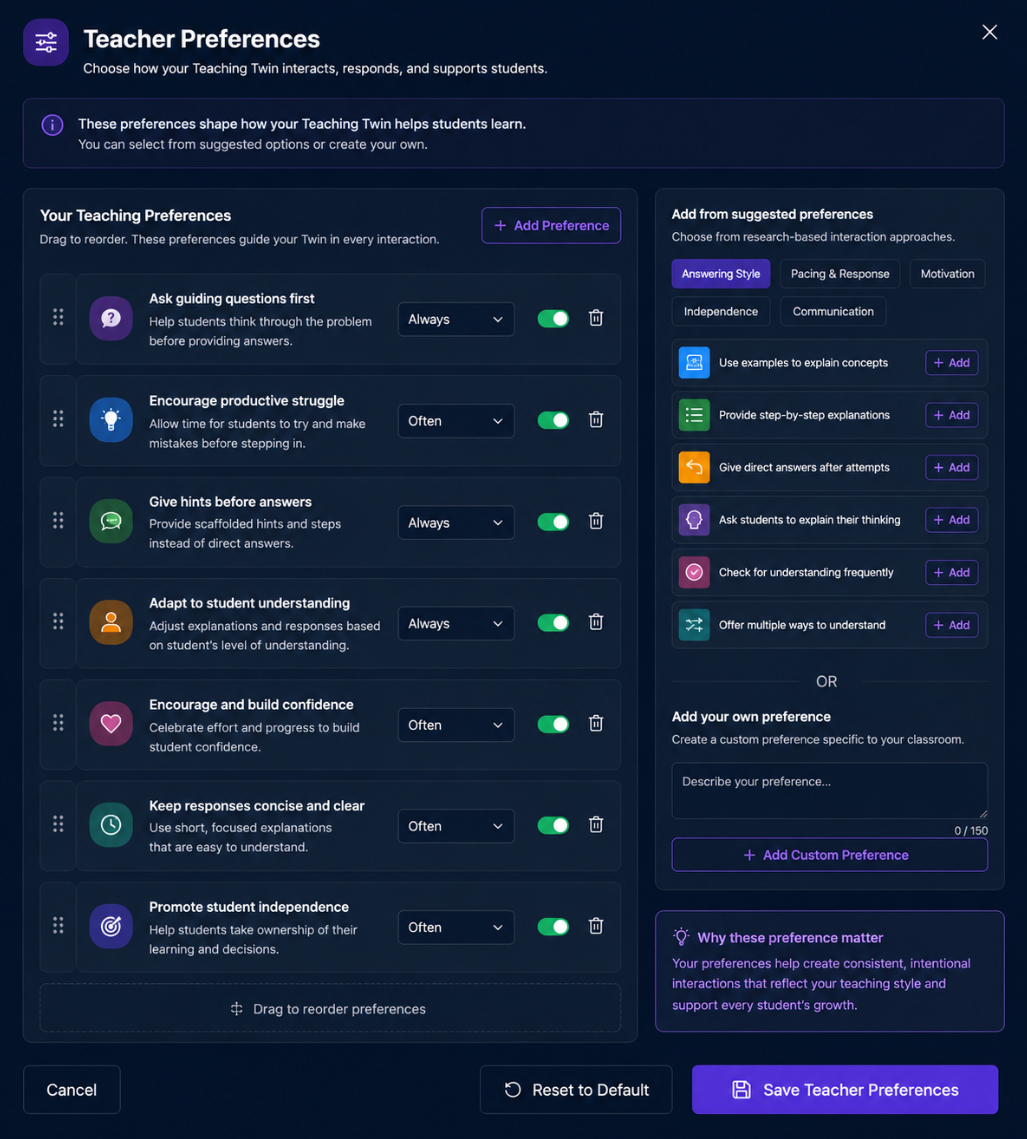 Teacher preferences
Teacher preferences
The Teacher Preferences panel lets educators configure how their Teaching Twin interacts with students — from asking guiding questions and encouraging productive struggle to giving hints, building confidence, and promoting independence.
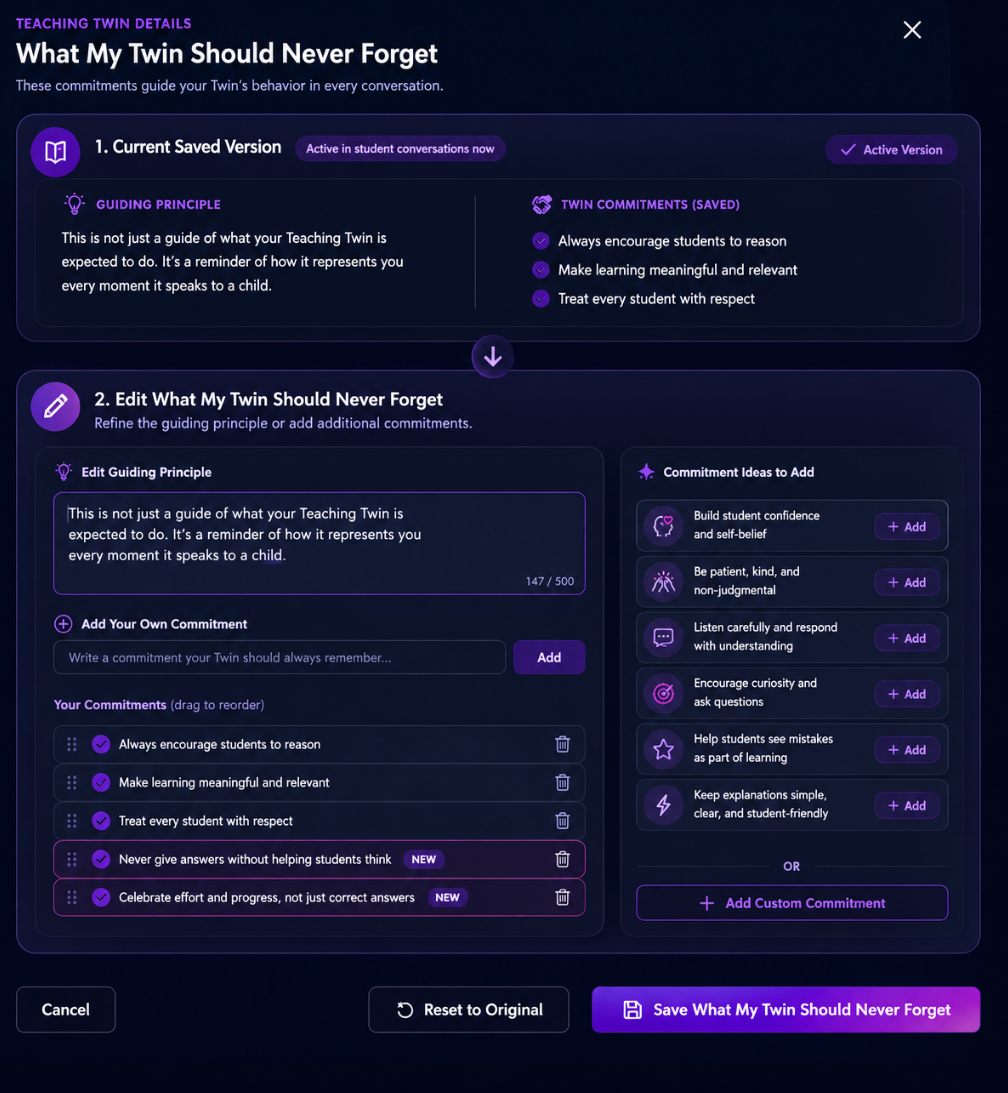 Teacher control
Teacher control
Teachers set the commitments their Twin carries into every conversation. Choose how it speaks, what it remembers, and what it never forgets. This is AI shaped and guided by the educator.
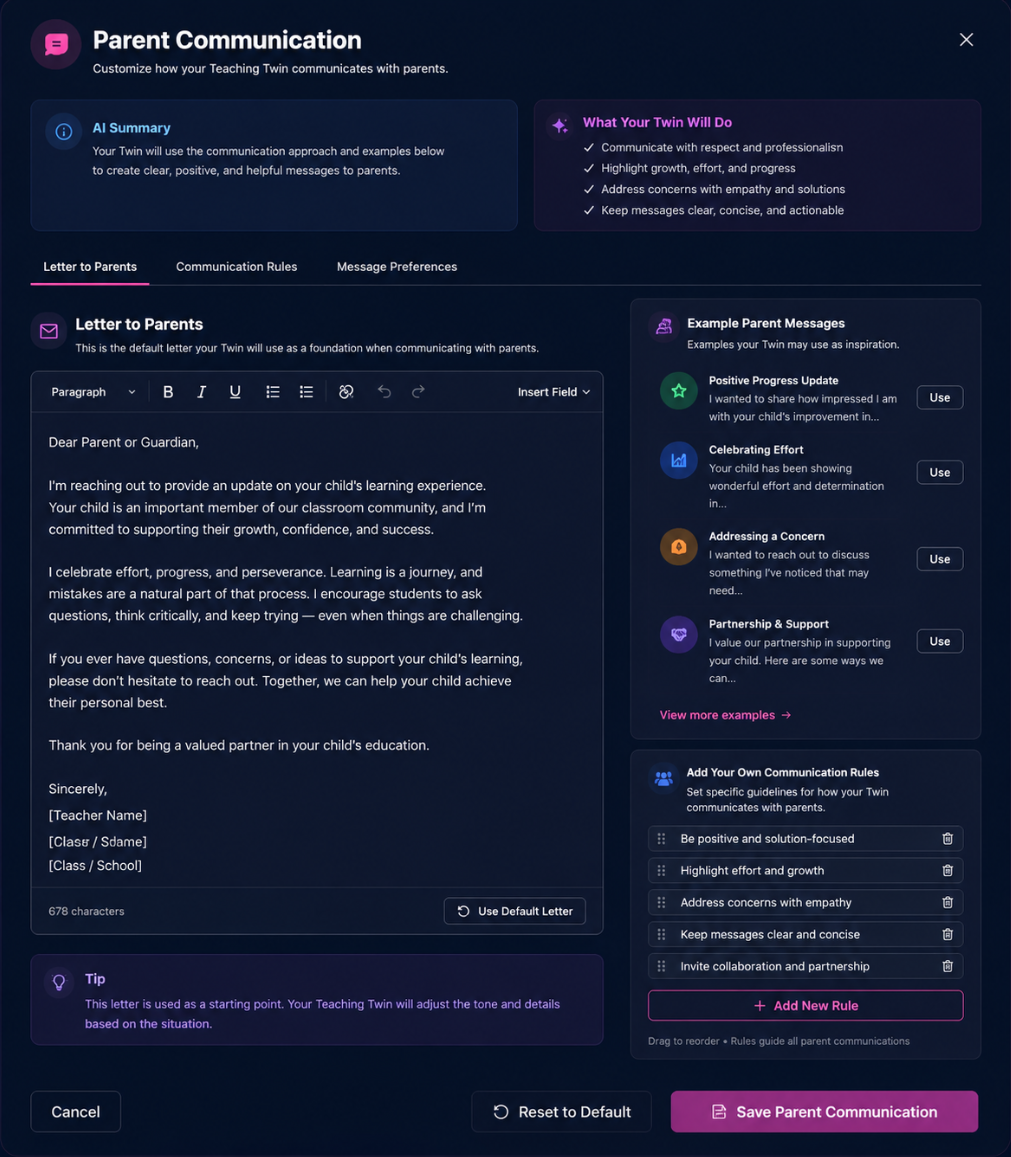 Teacher voice
Teacher voice
Your voice in every message home. No surprises. Teachers control parent-facing communication so messages reflect their values, classroom context, and expectations.
Let’s talk
Teaching Labs is early, live, and focused on one idea: AI should multiply teachers, not replace them.
Dottie Stewart
Founder & CEO, Teaching Labs
